Is Public Wi-Fi Safe? Hotel, Airport and Café Networks
Most websites now use HTTPS, so public Wi-Fi is safer than it was. Fake hotspots, login pages and unencrypted apps are what remain. What others on the network can see, and a checklist for your next trip.
 By CyberCat Team
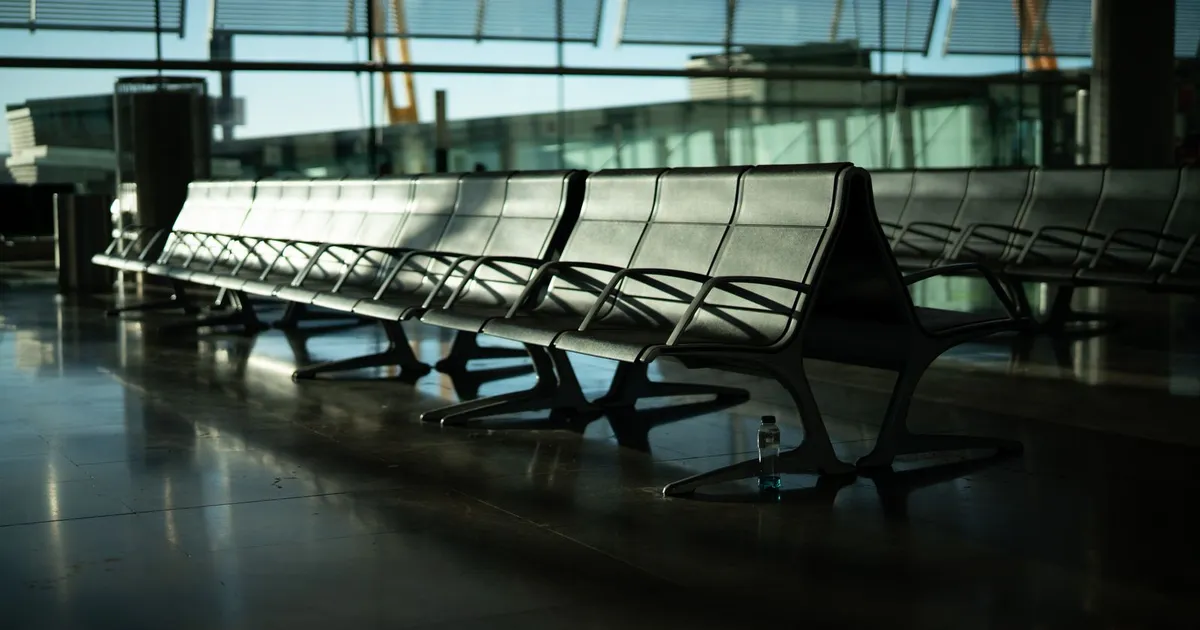
In April 2024, airline staff on a domestic flight in Australia noticed a Wi-Fi network that imitated a legitimate one. When the plane landed in Perth, Australian Federal Police searched a passenger's hand luggage and found a portable wireless access device, a laptop and a phone. According to the AFP, the device listened for the names of networks that nearby phones and laptops had joined before, then created a network with the same name, and devices connected to it automatically. Users were sent to a fake login page that asked for an email or social media account. The police found records of these pages at airports in Perth, Melbourne and Adelaide and on domestic flights. In November 2025, the man was sentenced to seven years and four months in prison.
That case shows where the risk on public Wi-Fi sits today. It is less about strangers reading your traffic and more about fake networks and the pages they show you.
So, is public Wi-Fi safe? It is safer than it was ten years ago, because most websites now encrypt their traffic with HTTPS. It still carries real risks: fake hotspots, login pages that collect passwords, apps and pages that don't use encryption, and other devices on the same network. This guide covers what others on hotel, airport and café networks can and can't see, and what to check before you connect. The TSA expects heavy traffic over the US Thanksgiving period, with the potential to screen more than 3 million passengers on Sunday, 29 November, so many travellers will face these networks this week.
What others on the same network can and can't see
A public network has an operator (the hotel, airport or café, or the company it hires) and other users who are connected at the same time. What they can see depends mostly on whether the connection to the site or app is encrypted.
| Site or app uses HTTPS | Site or app doesn't use encryption | |
|---|---|---|
| That your device is connected, and when | Visible | Visible |
The domain names you visit (for example bank.example) | Usually visible, through DNS lookups and connection details | Visible |
| How much data you send and receive | Visible | Visible |
| The pages you open on a site | Hidden | Visible |
| Passwords, messages and form contents | Hidden | Visible |
The Electronic Frontier Foundation summed this up in 2020: on HTTPS sites, people along the path, including people within range of a public Wi-Fi network, can see the domain names you visit and when, but not the pages on those sites, your login name or the messages you send.
HTTPS now covers most of the web. Google's Chrome team reported in October 2025 that HTTPS rose from around 30-45% of page loads in 2015 to the 95-99% range by around 2020, and has stayed there since. Google also announced that, from Chrome 154 in October 2026, Chrome would ask for permission before the first visit to a public site without HTTPS. The remaining unencrypted share is small, but the Chrome team notes that a single unencrypted connection can be enough for an attacker on the same network to redirect you.
Fake hotspots ("evil twins")
An "evil twin" is a network set up to look like a real one: the same name as the hotel or airport network, or a convincing generic name. Germany's federal cybersecurity agency, the BSI, warned travellers in June 2026 that attackers sometimes set up networks with trustworthy-sounding names such as "Flughafen-WLAN" (airport Wi-Fi).
Fake networks work for two reasons. Phones and laptops reconnect automatically to network names they have joined before, which is what the device in the Australian case exploited. And a network name proves nothing: anyone can broadcast any name.
Once you are on a fake network, its operator is the network operator. They see everything in the table above, and they decide which login page you see.
Captive portals: the login page
Most hotel, airport and café networks show a login page, called a captive portal, before they let you online. It may ask you to accept terms, enter a room number and surname, or type a code from your receipt.
That page is also where fake networks collect data. The AFP's advice is direct: a network that requests personal details such as an email or social media account should be avoided. A room number or a voucher code is normal. Your email password is not.
Two practical points:
- If the login page doesn't appear, open your browser and go to any website; the network usually redirects you to the portal.
- Most VPN apps can only connect once you are past the portal. Complete the login, then switch the VPN on.
What HTTPS covers and what it doesn't
HTTPS encrypts the connection between your browser and a website, so other people on the network can't read what you send or receive. It also checks that the site has a certificate for the domain in the address bar.
It doesn't cover everything:
- Domain names. As the table shows, the domains you visit are usually visible to the network.
- Lookalike sites. A padlock shows that the connection is encrypted, not that the site is the one you meant to visit. A fake login page can have HTTPS too, so check the address.
- Other apps. HTTPS protects sites that use it. Older apps, smart devices and some embedded pages still send data without encryption.
- Your device on the network. Other users are on the same local network as you. File sharing, open network services and outdated software can be reached from there. The EFF's main advice for this risk is to keep your software up to date.
Is hotel Wi-Fi safe?
Hotel networks are shared by every guest, often with one password for the whole building. That password decides who can join; it doesn't separate one guest from another. Confirm the exact network name at the front desk, and be cautious with login pages that ask for anything beyond your room details.
Is airport Wi-Fi safe?
Airports concentrate many travellers, many devices that are searching for familiar networks, and many people in a hurry, which is why fake networks appear there. The TSA's advice is: "Don't use free public WiFi, especially if you're planning to make any online purchases." Use the network name shown on the airport's official signs or website, and do payments and banking over mobile data if you can.
Is café Wi-Fi safe?
Café networks are often open or use a password printed on the wall or the receipt. Anyone nearby can join and set up a network with a similar name. The same checks apply: confirm the name with staff, don't enter account passwords on a login page, and keep sensitive tasks for a trusted connection.
Public Wi-Fi checklist
- Confirm the network name with staff or official signs before you connect.
- Never give an email or social media password to a Wi-Fi login page.
- Check the address and the padlock before you sign in to any site.
- Use mobile data for banking and payments when you can. France's national cyber assistance service recommends a mobile connection over public Wi-Fi when you are out.
- Turn off auto-join for public networks, and choose "forget network" when you leave.
- Turn off file sharing, and limit nearby sharing to your contacts or switch it off.
- Update your phone and laptop before you travel.
- Use a VPN. The AFP and the BSI both recommend one on public Wi-Fi.
How CyberCat VPN protects you on public Wi-Fi
A VPN puts all of your device's traffic into an encrypted tunnel before it reaches the hotel, airport or café network. CyberCat VPN brings that to iPhone, iPad, Mac and Android:
- Encryption before your traffic leaves the device. CyberCat encrypts all traffic with AES-256 and sends it through a CyberCat server. The local network, and anyone running a fake hotspot, sees an encrypted connection instead of the sites and apps you use.
- Automatic connection on unsecured networks. CyberCat can connect automatically when you join an unsecured network, so protection doesn't depend on remembering to switch it on.
- Encrypted DNS. DNS lookups go to CyberCat's own resolvers inside the tunnel, which keeps the domain names you visit off the local network.
- Kill Switch. Public networks can drop or hand you to another access point as you move around. When the VPN connection drops, CyberCat blocks all traffic at the network level until the tunnel is restored.
- Ad and tracker blocking. CyberCat blocks ad, tracker and malware domains at the DNS level in every app.
- Unlimited bandwidth with no throttling, and up to 5 devices on one paid plan: a phone, a laptop and a tablet on the same trip.
You can check the result yourself: connect to CyberCat, then run the IP check and the DNS leak test. Every plan comes with a 30-day money-back guarantee. For more on what networks can see, read What Your ISP Can See Without a VPN. Travelling abroad? See Are VPNs Legal? and check the rules at your destination.
FAQ
Is hotel Wi-Fi safe for online banking?
Banking sites and apps use HTTPS, so the content is encrypted. The risk is a fake network or a lookalike login page. Use mobile data for banking if you can, or connect through a VPN and check the address before you sign in.
Can someone on the same Wi-Fi see my browsing history?
They can usually see the domain names you visit and when, but not the pages you open on HTTPS sites or what you type. With a VPN on, they see an encrypted connection to the VPN server.
Is airport Wi-Fi safe with a VPN?
A VPN encrypts your traffic before it reaches the airport network, including your DNS lookups. Still confirm the network name, and don't give account passwords to a Wi-Fi login page.
Is password-protected public Wi-Fi safe?
A password controls who can join. On a hotel or café network, everyone who knows it is on the same network as you, so treat it like any other public network.
Is mobile data safer than public Wi-Fi?
For sensitive tasks, often yes. France's national cyber assistance service recommends your mobile connection over public Wi-Fi when you are out, and the TSA advises against free public Wi-Fi for purchases. Mobile data doesn't depend on a network name that someone nearby could copy.
Sources
- Australian Federal Police, WA man jailed for stealing intimate material and using 'evil twin' WiFi networks (28 November 2025)
- TSA, TSA at Harry Reid International Airport fully prepared for busy Thanksgiving holiday travel season (18 November 2026)
- USA Today, TSA urges travelers to avoid two tempting airport freebies (3 December 2025)
- Electronic Frontier Foundation, Why Public Wi-Fi is a Lot Safer Than You Think (29 January 2020)
- Google, HTTPS by default (28 October 2025)
- BSI, Sicher reisen, digital geschützt bleiben (19 June 2026) and Sicherheitstipps für privates und öffentliches WLAN
- Cybermalveillance.gouv.fr, Les 10 mesures essentielles pour assurer votre sécurité numérique
Protect your privacy today
CyberCat VPN encrypts your traffic and hides your IP. Try it risk-free with our money-back guarantee.
Editorial
CyberCat TeamGuides from the CyberCat team on VPNs, online privacy, and staying safe on public networks.
Read in other languages
Related articles
Are Free VPNs Safe? What Independent Testing Shows
Researchers tested 281 free Android VPN apps: 29 leaked traffic outside the tunnel and more than 80% contacted advertising and tracking servers. What the tests found, why it happens, and how to check the VPN on your phone.
By CyberCat TeamNovember 13, 2026
How to Detect and Fix DNS Leaks
A DNS leak can expose your browsing history even when you're connected to a VPN. Here's how to find and fix them.
By CyberCat TeamJuly 5, 2026